
Students often spend more time than expected on small tasks like converting measurements, editing essays, fixing text formatting, and organizing research notes. While these jobs are important, they can interrupt concentration and leave less time for actual learning.

Fortunately, free online tools can simplify everyday study tasks without requiring complicated software or technical skills. From checking unit conversions in science homework to removing duplicate entries from research lists, the right tool can make assignments easier to manage.
In this article, we explore five free tools students can use for writing, calculations, and text cleanup. Each option comes with practical uses, benefits, and limitations, so you can decide which tools fit your study routine throughout the semester and use them responsibly.
1. All-in-One Unit Converter
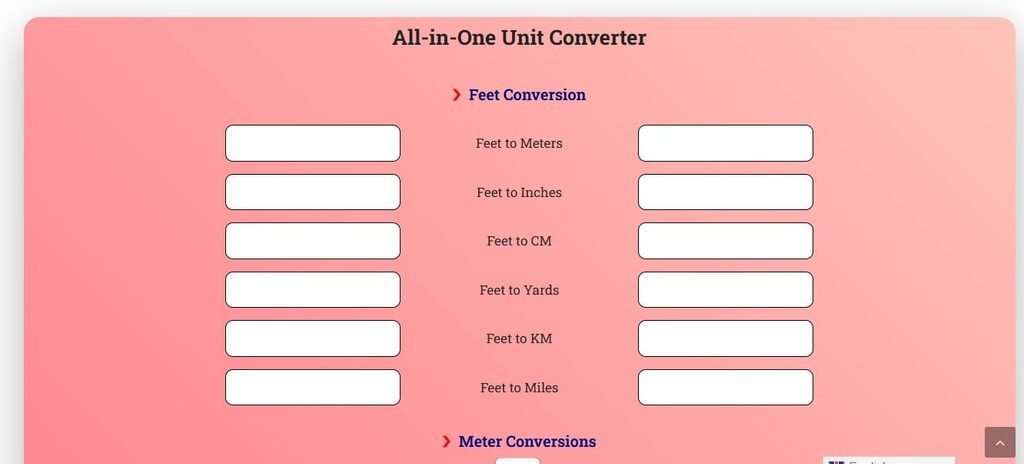
Students switch between metric and imperial units when completing math problems, science assignments, and everyday measurements. The All-in-One Unit Converter makes those calculations easier by bringing length conversions into one convenient place.
Instead of memorizing formulas for feet, meters, inches, centimeters, yards, kilometers, and miles, simply enter a measurement and view its converted value.
For example, if a geometry question gives a length in centimeters but asks for inches, the tool helps you check the equivalent measurement quickly. It also includes hectare-to-acre conversion, which can be useful when studying land area.
The straightforward interface is helpful for students who need to verify homework calculations or compare measurement systems without interrupting their study flow.
While it saves time, students should still understand how conversion factors work, particularly for exams where calculators or online tools may not be allowed. Use it as a learning aid, not a replacement for understanding the maths.
Pros
- Quick and easy conversions
- Supports multiple measurement units
- Saves valuable study time
- Simple and beginner-friendly interface
- Helpful for science assignments
Cons
- Limited listed measurement categories
- Mostly basic conversion functionality
2. SEO Magnifier Essay Rewriter
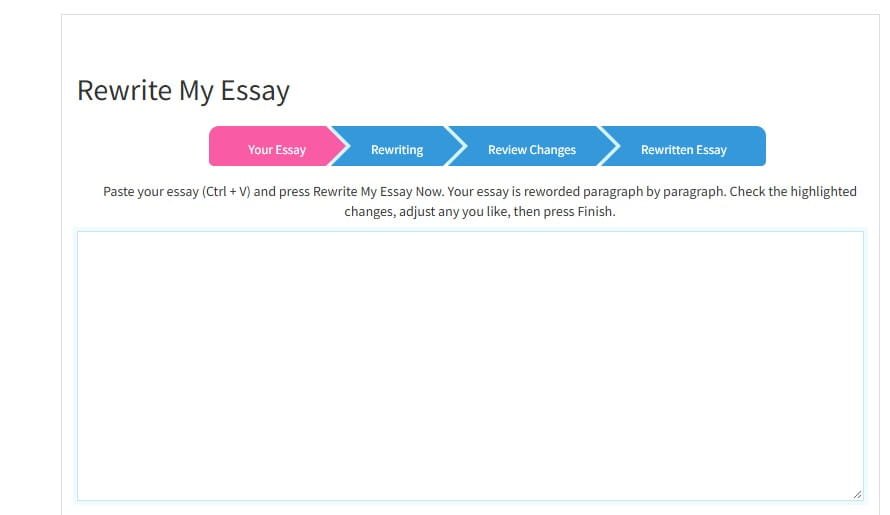
Writing a clear, well-structured essay can be challenging, especially when students struggle with repetitive wording or awkward sentences. The SEO Magnifier Essay Rewriter is a free online essay rewriting tool that helps students rephrase existing content while aiming to preserve its original meaning.
To get started, paste your essay into the text box, select your preferred language, and click “Rewrite My Essay Now.” The tool suggests alternative words and phrases, allowing you to review highlighted changes, choose suitable synonyms, and download the revised text.
It supports multiple languages, including English, Spanish, French, and Dutch, making it useful for students working on different writing assignments. Its straightforward interface also makes editing accessible to beginners.
However, automated rewriting can sometimes produce unnatural sentences or change the intended meaning. Students should carefully review their work, cite original sources, and follow their institution’s academic integrity guidelines before submitting assignments.
Pros
- Completely free rewriting tool
- Supports multiple writing languages
- Easy word replacement options
- No registration reportedly required
- Simple editing and downloading
Cons
- Synonyms may sound unnatural
- Cannot guarantee plagiarism-free writing
3. Remove Extra Spaces Tool
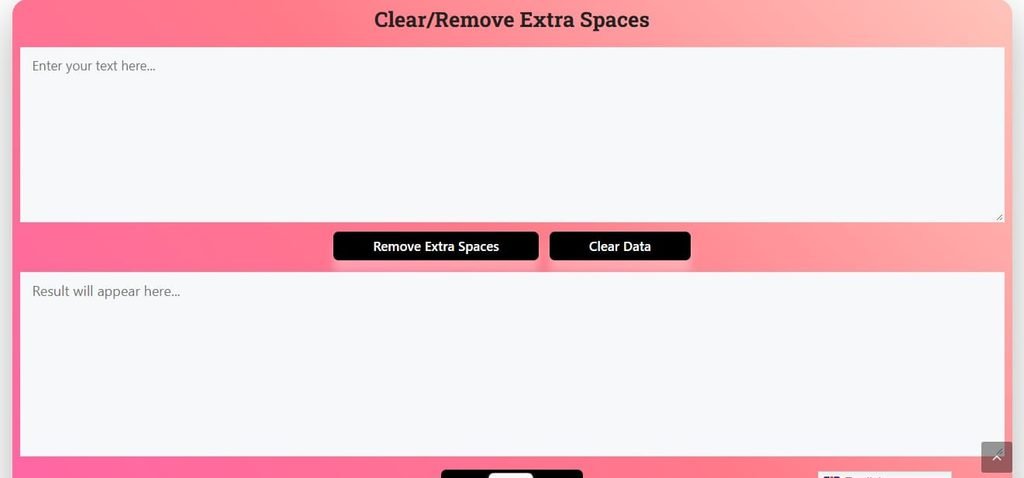
Extra spaces in essays, assignments, and research notes can make text look unorganized and difficult to read.
The Remove Extra Spaces Tool is a free online text-cleaning tool that helps students eliminate unnecessary spaces from large amounts of text in just a few clicks.
Whether you’re preparing a school assignment, organizing research data, or copying information from different sources, this tool makes text formatting easier.
Simply copy your content from Microsoft Word, Excel, Notepad, or another application and paste it into the input box.
Click “Remove Extra Spaces” to replace multiple consecutive spaces with a single space, then use the “Copy Data” button to retrieve the cleaned text.
Its straightforward interface is particularly helpful for students working with lengthy documents or poorly formatted notes.
However, the tool focuses on spacing issues rather than correcting grammar, spelling, or sentence structure, so additional proofreading may still be necessary.
Pros
- Removes unwanted spaces quickly
- Handles large text blocks
- Works with copied content
- Simple copy paste process
- Useful for assignment formatting
Cons
- Cannot correct grammar mistakes
- Limited text editing features
4. Remove Duplicates Online

Managing repeated information in assignments, research projects, or spreadsheets can be frustrating, especially when working with large datasets. The Remove Duplicates Online Tool is a free online duplicate lines remover that helps students identify and eliminate repeated entries quickly, making information easier to organize and review.
Whether you’re preparing research lists, organizing survey responses, or cleaning copied data, this tool simplifies the process. Simply paste your text into the input box, click “Remove Duplicates,” and the tool generates a cleaned version containing unique entries. You can then use the “Copy Data” button to transfer the results into your document or spreadsheet.
The tool also displays line counts, helping students compare their original and cleaned data. Its simple interface makes it useful for basic data-cleaning tasks without requiring technical knowledge.
However, students should review the results carefully because repeated entries may sometimes contain important information for research or statistical analysis.
Pros
- Removes duplicate entries quickly
- Saves manual editing time
- Handles bulk text data
- Simple copy paste functionality
- Displays useful line counts
Cons
- Limited advanced filtering options
- May remove important repetitions
5. Change Text Case Tool
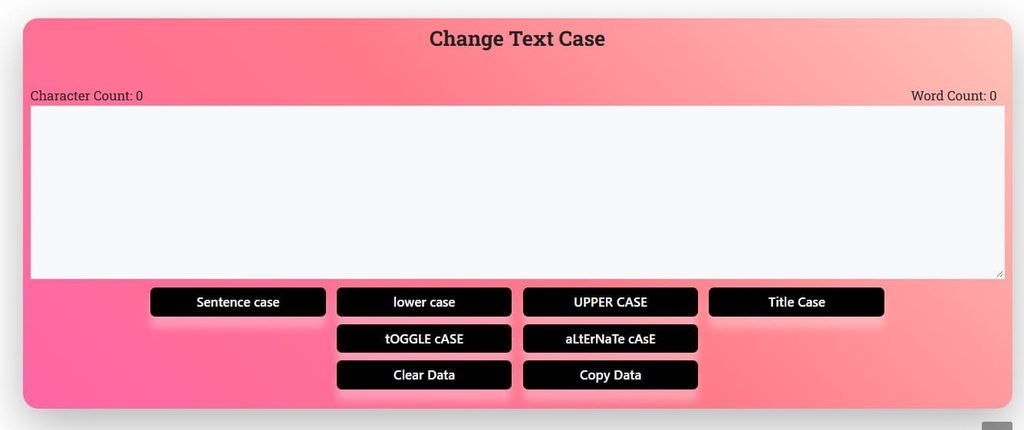
Incorrect capitalization in essays, assignments, and research notes can make writing look inconsistent and unprofessional. The Change Text Case Tool is a free online text case converter that helps students adjust capitalization quickly without manually editing every word.
Whether you’re formatting assignment headings, correcting uppercase text, or organizing study notes, this tool makes changing text capitalization easier.
Simply paste your content into the text box and select your preferred format, including Sentence case, lowercase, UPPER CASE, Title Case, Toggle Case, or Alternate Case. The tool converts your text immediately, allowing you to copy the formatted version with a single click.
It also displays character and word counts, which can be helpful when preparing assignments with specific length requirements.
However, students should review the converted text carefully, as automatic capitalization may not always follow academic writing conventions, particularly for proper nouns, abbreviations, and specialized terms.
Pros
- Supports six text case formats
- Converts text instantly
- Simple copy paste functionality
- Displays word and character counts
- Useful for assignment formatting
Cons
- Cannot correct grammar or spelling errors
- May require manual capitalization adjustments
Bonus: Make Learning More Interactive with Educational Games
While online tools help students complete assignments and organize their work, learning doesn’t always have to involve textbooks and worksheets. For younger students, interactive activities can make practicing academic skills more enjoyable.
Parents and teachers can explore Educational games for kids that include puzzles, word searches, math challenges, and other learning activities. These games offer children an engaging way to practice basic concepts, develop problem-solving skills, and explore educational topics.
However, educational games work best as a supplement to regular study rather than a replacement for classroom lessons or focused learning.
Conclusion
Free online tools can make studying more manageable, especially when assignments involve calculations, writing, or repetitive formatting.
The five tools covered here serve different purposes: the unit converter checks measurements, the essay rewriter suggests alternative wording, and the spacing, duplicate removal, and text case tools help clean up written material. None of them replaces careful thinking, proofreading, or an understanding of the subject.
Before using any result in an assignment, check it for accuracy and follow your school’s academic integrity rules. Used thoughtfully, these simple tools can save time, reduce avoidable errors, and help students focus on their own learning.