
imagetotext.me is a free platform that provides a variety of file conversion tools. You can use it for things like image-to-text conversion, PDF to Word, and even reverse image search.
Today, we are going to review this platform and check whether it is useful or not. To do this, we will check out all the tools it provides, their benefits and shortcomings, and see if the pros outweigh the cons. So, let’s begin.
Core Purpose of the Platform
If we were to put a label on the core purpose of the platform, then it would be to enable seamless file conversion. Most of the tools on this platform are designed to convert files from one format to another. For example, you can convert a JPG image into a TXT file, a PDF file, or a Word file.
There are plenty of jobs where such a tool is useful. Just check out this list of people who have to do such conversions on the regular.
- Clerks at airports, banks, and government offices
- Office workers who have to compile reports using data from various sources
- Students who have to create assignments using data from different sources
- Librarians, hospital clerks, and salesmen have to enter data from physical documents into digital records.
All such people can use imagetotext.me to hasten their file conversion tasks and save time.
Now, let’s check out how the various tools work.
Tool-by-Tool Breakdown
This platform provides the following tools that you can use. Here is a breakdown of their functionality.
Image to Text
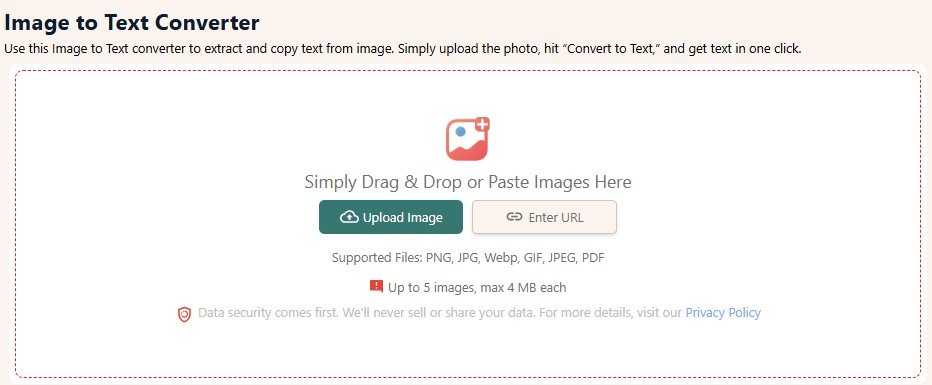
The image-to-text converter uses OCR technology (Optical Character Recognition) to recognize characters inside an image and then extract them into a word-processor-compatible format. It works with UNICODE, so all supported languages can be recognized and extracted.
Typically, the output is in TXT form, but the tool actually shows you a preview, which you can copy into a DOCX file, or even a spreadsheet.
The method to use it is simple: you upload an image via the given buttons, or you can paste/drag’n’drop it into the input field. Then hit “Convert,” and the output will be provided in a few seconds.
You can also input multiple images at once. Currently, you can simultaneously input five images; however, they must be smaller than 4 MB in size.
JPG to Word
JPG to Word is simply the same tool as the image-to-text converter. It was simply made to target a specific keyword. It has the same features and functions as the image-to-text converter. The only difference is that the output is in DOCX format if you choose to download it.
Image to PDF
This tool is identical to the first two; the only difference is that the output is in PDF. To get the PDF, you will have to select the “download” option in the output screen.
PDF to Word
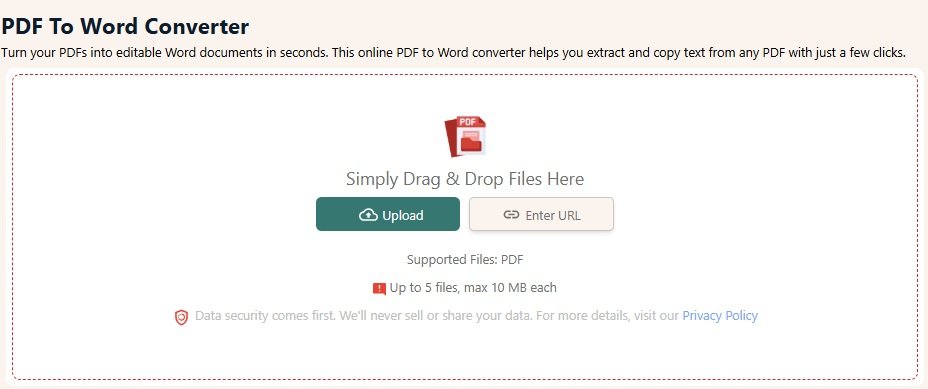
This is a tool that can convert PDF files into DOCX files. This is useful because many times PDFs are uneditable. At most, you can annotate them, but you cannot make any meaningful changes to them.
With the PDF to Word tool, that’s no longer a problem. Simply upload or copy-paste your file into the tool interface, and it will convert it to a Word file. This file will have the original formatting and everything, but you will be able to edit it in a word processor.
This tool also supports batch processing, and you can input 5 PDFs at once. However, they cannot be larger than 10 MB in size.
The process of converting a PDF to Word format is longer than converting an image to TXT, DOCX, and PDF. The process can become longer if the number of pages in the PDF is high. So, you might have to wait a minute or two for the conversion to complete.
Text to PDF
As the name suggests, this tool will convert a TXT file into a PDF.
Text to Word
This will convert a TXT file into a Word file.
Reverse Image Search
This one is quite different from the rest. While all the others are about file type conversion, this one is about search. Basically, you can input an image into this tool, and then it will use various popular search engines, like Tineye, Google, Bing, and Yandex, to search for it.
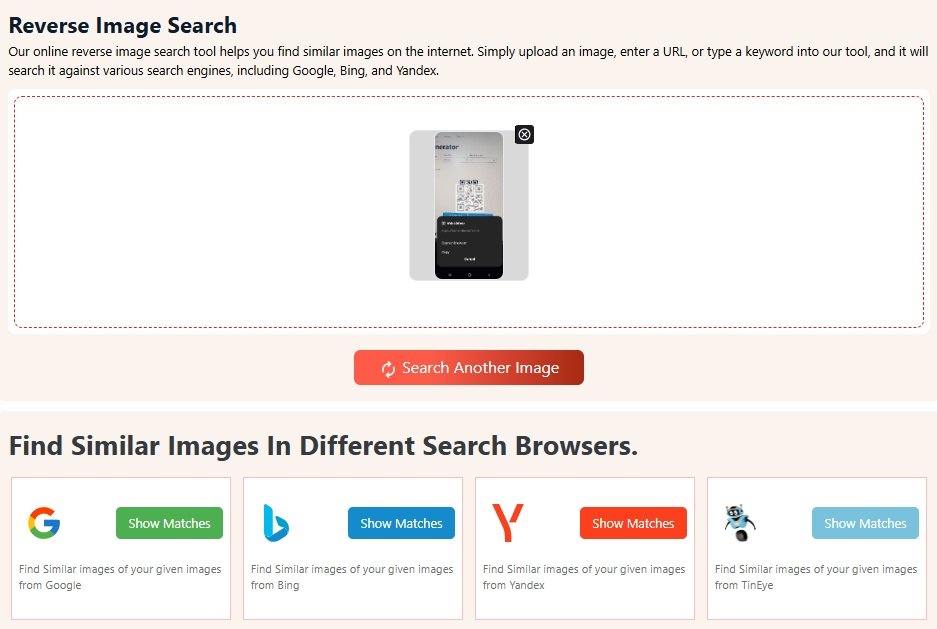
You will have to check each engine’s results separately, however. This is a minor inconvenience, but compared to doing the search manually, it is much faster.
That was the breakdown of all the available tools on the platform. As you can see, most of the tools are focused on file type conversions, be that from image to text or from one text format to another.
Now, let’s check out their collective strengths and limitations.
Strengths of Imagetotext.me
All of the tools on the platform exhibit the following qualities.
- They are well-designed.
The UI is simple and easy to understand. Users can figure out how to use them at a single glance.
- Multi-format support.
All the tools support multiple formats. For example, in image-to-text conversion, you can input JPGs, PNGs, WEBPs, and even GIFs. Only the super-specific tools like PDF to Word support only 1 type of input.
- Speed and accessibility.
All of the tools, without exception, do their work in a matter of seconds. Even the slowest tool (PDF to Word) doesn’t take more than a minute to process multiple PDFs. So, anyone using these tools can save a ton of time.
- No-signup convenience.
The tools are free, and there are no premium tiers. This means that there is no requirement for an account or registration. You can open the web page and start using it without any preamble.
- No download or install requirements.
Since the tool is web-based, you don’t have to download or install anything to use it. Simply visit the web page and start working.
Limitations of Imagetotext.me
While the pros are great, there are some notable limitations too. They are listed below.
- File size constraints.
Most tools have strict limits on input size. For example, image-to-text has a 4 MB limit, while PDF to Word has a 10 MB limit. These are not too restrictive, but you might occasionally feel annoyed by them.
- Occasional accuracy issues.
The tools are extremely accurate, but some of them, which depend on OCR, can sometimes be inaccurate due to bad image quality or illegible fonts (bad handwriting). That can be easily solved, though, by ensuring that you only use good-quality images.
- Dependence on the internet.
Since the tool is entirely web-based, you need an internet connection to use it. If you are offline for any reason, the tool will be inaccessible. This is both its strength, as you don’t need to download or install anything, but also its weakness.
As you can see, the pros far outweigh the cons. The disadvantages this tool poses are situational at best and can be easily mitigated. But they are important enough to know because sometimes, you may not be able to work around them.
imagetotext.me is a solid platform that delivers fast and convenient file conversion. It provides important conversions that many can use in their daily lives such as turning images into text, converting PDFs into Word, and even doing image searches.
It does all of this without asking for any technical know-how, installation, or sign-ups. Just because of that, this platform is a great recommendation for anyone who needs it.
Its meager drawbacks are easy to work around and are not serious enough to hamper your work. So overall, it is a great platform for day-to-dayt file conversions.